
This isn’t so much a review of a program, so much as a breakdown of how I use it to annotate, take notes, and find themes and connections between ideas.
I believe the term “Second Brain” has caught on in the past few years1, with productivity gurus touting the benefits of delegating brain-space for life onto other areas.
Less for productivity, but more for finding connections, I’ve found the system has merit. I specifically use the program Obsidian, a note-taking application that allows you to cross-link and connect each page of notes you create (plus, it’s free, offline, and best of all, no annoying subscriptions and no AI to mess with the workflow). Technically, you could use paper, pen, and really thorough indexing for the same effect.
It’s been a great way of archiving my reading notes across all areas of interest. Below is a breakdown of what my setup looks like.

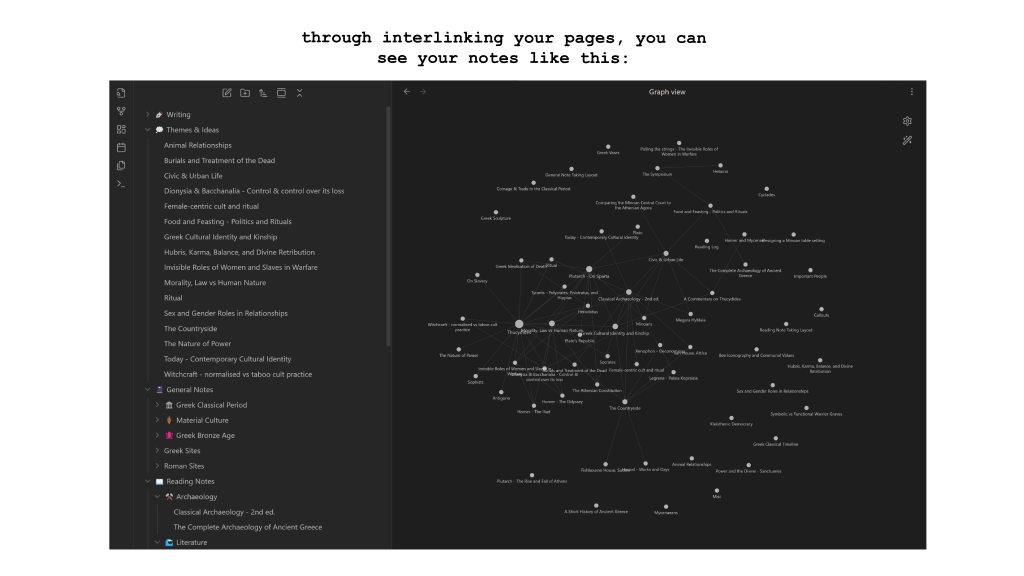
I’ve categorised my notes into buckets, from Reading Notes and General Notes, to specific time periods. I also have a section dedicated to themes and ideas I’ve noticed across different sources.
The best part is the linking. If I make a connection to a different book while annotating, I can link it and make a pathway to that other source. I love the graph view. As someone who used to make very intense-looking, physical mind maps with sticky notes and string on the wall at uni, this is a much cleaner (and contained) version of the same thing.
Especially when it comes to noting down my own ideas, I can link all the sources that have fed into it, so any writing that comes out of it has already got sources and bibliographies lined up.
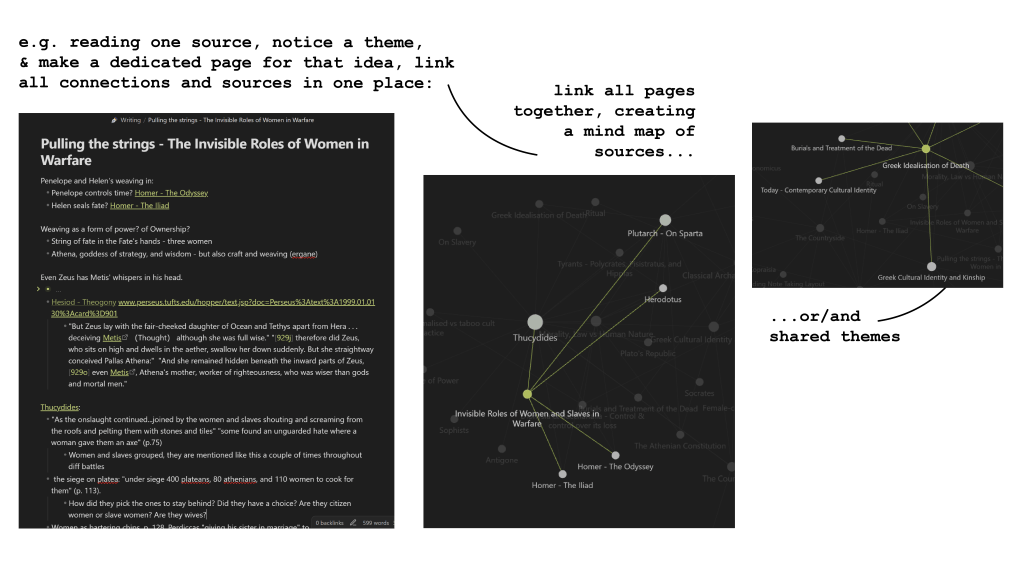
I find the best way of approaching reading is to place it within a wider context of thinking. Nothing ever exists in a vacuum, and it’s a more fun way of engaging with texts and stories!
 sing-muse.com
Leave a comment